Please note: This guide is for the new Vault. If your Vault has a menu down the left side, see Which Vault am I using?
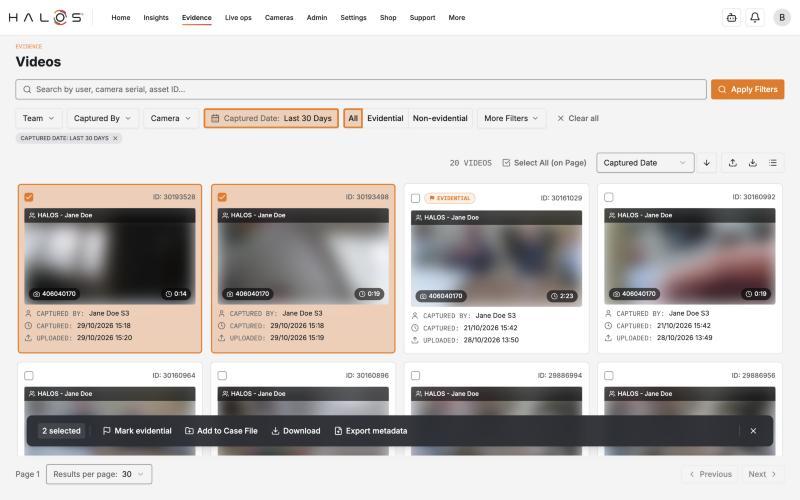
- Open Evidence, then Videos.
- Tick the videos you need.
- Choose an action:
- Mark evidential, then Add selected. To take the mark off, choose Remove selected. In field service organisations this says Held.
- Add to Case File, then choose the case file.
- Download. Up to 50 videos or 5 GB at a time. We prepare the download in the background and email you a link when it's ready.
- Delete or Delete immediately, if your role allows it. Vault may ask you for a reason.