
Please note: This guide is for the new Vault. If your Vault has a menu down the left side, see Viewing camera usage in Vault Dashboard in the Vault section.
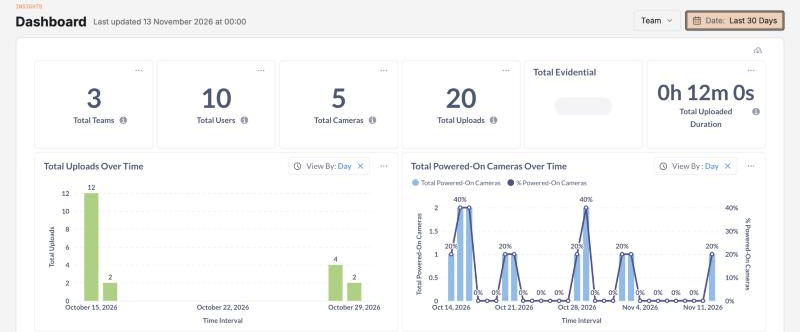
The dashboard shows the same usage and compliance figures as the classic Vault, with filters above it.
- Open Insights, then Dashboard.
- If you work across more than one organisation, choose the organisation in the header at the top.
- Choose your teams. Leave teams empty to see all of them.
- Choose a date range. It shows the last 7 days by default. A custom range can start up to 90 days back.
The Last updated line shows how fresh the figures are.
Share a dashboard view
Your filters are saved in the page link. Copy it and send it to a colleague to show them the same view.