Please note: This guide is for the new Vault. If your Vault has a menu down the left side, see Which Vault am I using?
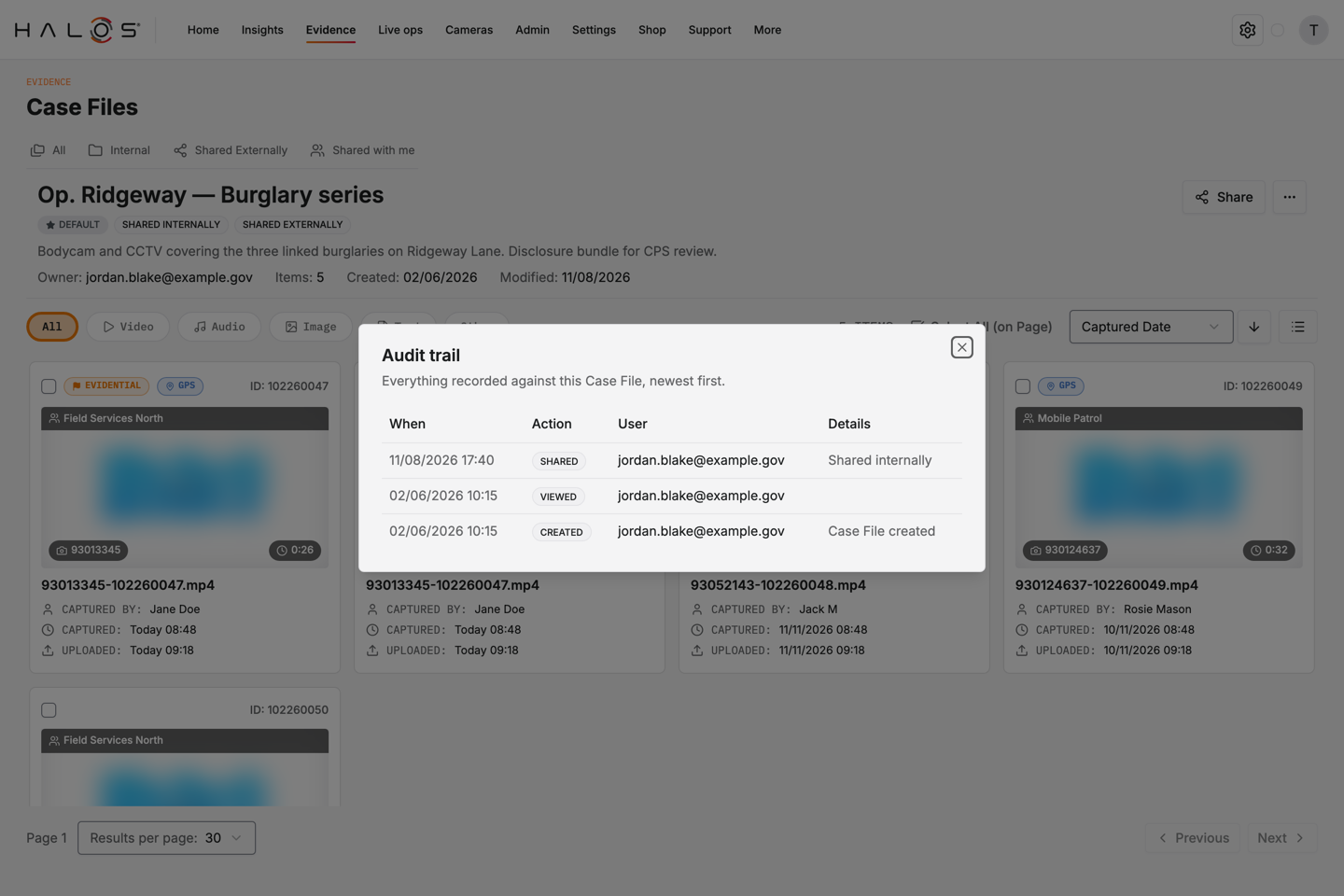
The audit trail lists everything recorded against a case file, newest first: when items were added or removed, when it was created, renamed, emptied, shared or unshared, and when people viewed it.
- Open Evidence, then Case files, and click the case file.
- Open the ⋯ menu next to Share and choose Audit trail.
- Each row shows When, Action, User and Details. Click Load more to see older entries.
The audit trail is available to supervisors, org admins and admins.