
Please Note: This feature is only available on Horizon cameras and limited to Enterprise customers
What is RFID (Radio Frequency Identification) ?
RFID is a capability that uses swipe technology to assign cameras to individual users via staff identification. Easy to deploy in multiple settings, RFID improves shift efficiency and increases valuable time on the ground.
The below guide assumes that you have already added your user's RFID card details to HALO Vault.
To activate RFID on your body camera:
- Turn on your body camera by pressing down the power button for 3 seconds
- Hold the P and FN button together for 5 seconds. The camera will vibrate and the screen will display a menu page with two options:
- RFID/NFC Card
- On-Board Assignment
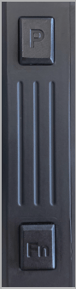
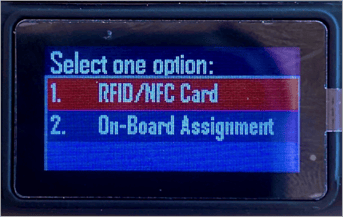
- Select the RFID/NFC Card option, use the:
- P button to navigate up
- FN button to navigate down
- Front record button to select.
- Hold P + FN together for 5 seconds to exit the menu
- Once selected, the screen will show Tap Card as shown below:
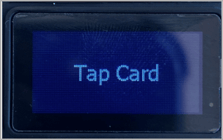
The LED on the camera will pulse blue to show the user where to tap their card: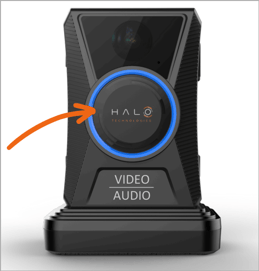
- If the user's RFID card is linked to a user profile in Vault, it will be recognised as a match and the camera will be assigned to the user. The screen will display User Assigned

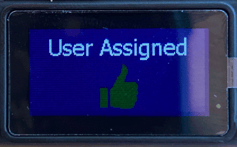
- If the RFID card is not linked to a user in Vault, the screen will display User doesn't exist.
- If the user is already assigned to that camera when they tap their RFID card, the screen may display User doesn't exist. You can verify this in Vault.
- If no RFID card is tapped, the assignment process will automatically timeout after 60 seconds and return to the main menu page
Note
-
If the user list has recently been updated in Vault, navigate to the RFID menu page on the camera. This will trigger the camera to run a script and download the latest user list.
- Using an RFID card to assign a camera will always override any manual assignment made in Vault. The most recent RFID tap will determine the current user assignment.
To add or update RFID details of a user:
- Login to Vault
- UK Login: app.halovault.cam
- US Login: app.halovault.us
- Navigate to the Teams page from the sidebar menu
- Click "Add user" or select an existing one. This will open up a New User or Edit User module
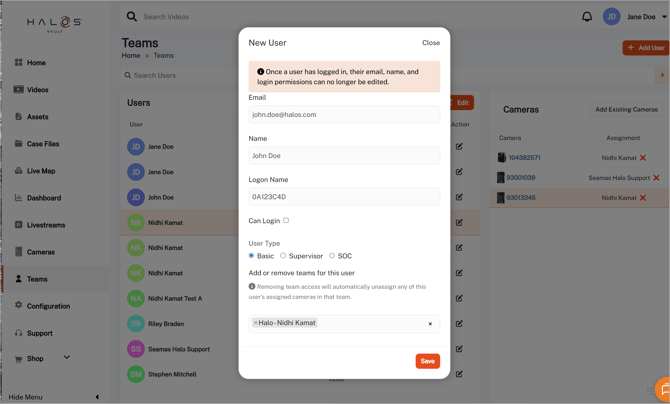
- Complete the required user details and ensure you populate the Logon Name field
- The Logon Name should be the hex code associated with the user's RFID card
- This field is required for the RFID assignment feature to work
- You must have a Supervisor role to update the Logon Name field
If you are using your own RFID cards, you should obtain the hex codes internally (you may need to contact your system admin) - Click Save
- After updating the user in Vault, navigate to the RFID menu on the camera (using the previous instructions) to ensure the device receives the latest user list
Note
When RFID is enabled, users can only be assigned to cameras using RFID cards. Manual user assignments made in Vault will not override a user who has been assigned via RFID. For this reason, user assignments should be managed exclusively through RFID taps when RFID is in use.