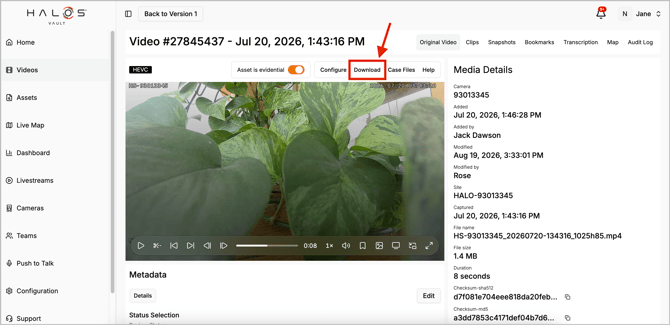
To find download videos from Vault
- Log in to your account via the Halo Vault login page:
- UK Login: app.halovault.cam
- US Login: app.halovault.us
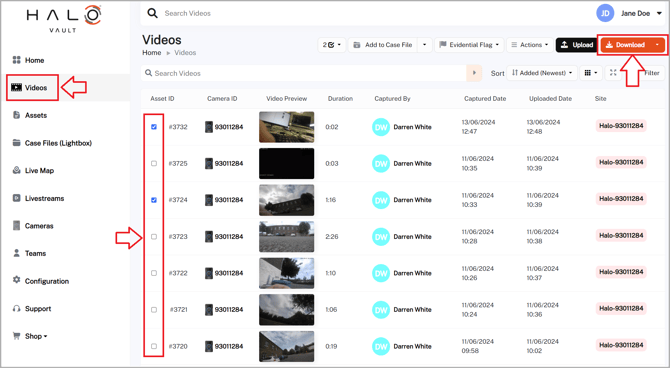
- Navigate to the Videos section from the sidebar menu
- Click the check mark on the left beside the videos you want to download
- Click the Download button on the top right hand side
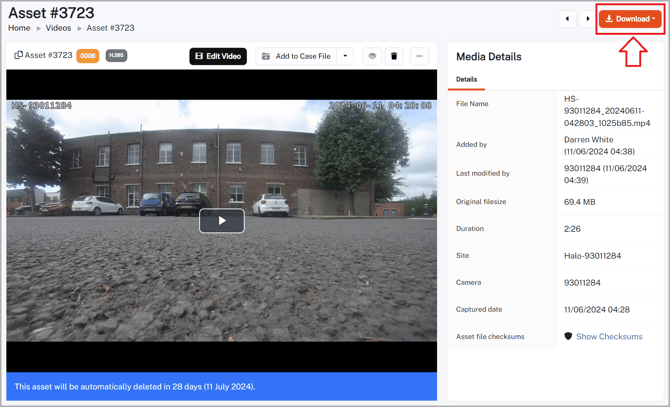
- Alternatively, you can also download an individual video by clicking on the video and clicking the Download button on the top right hand side.
In the new videos experience, the Download button is located just above the video player on the top right