
Please note: This guide is for the new Vault. If your Vault has a menu down the left side, see Which Vault am I using?
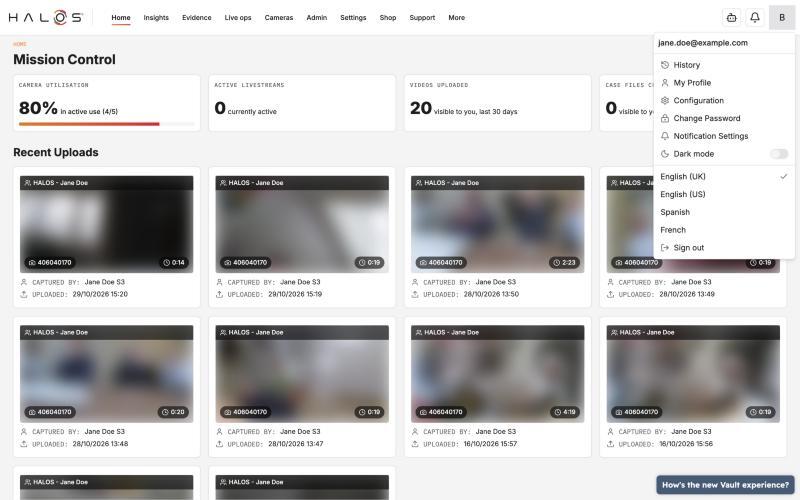
- Click your profile badge (your initial) at the top right.
- Turn Dark mode on or off.
Your choice is saved to your account, so Vault looks the same on any computer.
Change the language
Vault's menus, buttons and labels are available in UK English, US English, French and Spanish.
- Click your profile badge (your initial) at the top right.
- Choose English (UK), English (US), Spanish or French. A tick shows the language you're using.
Please note: This only changes Vault's own text. Anything people type, such as metadata, notes and case file names, stays as it was written. Transcriptions stay in the language spoken in the video.