<img alt="" src="https://secure.east2pony.com/208891.png" style="display:none;">
Skip to content
English
  • There are no suggestions because the search field is empty.

Viewing and updating your user settings

Guide on where to access and manage your user settings

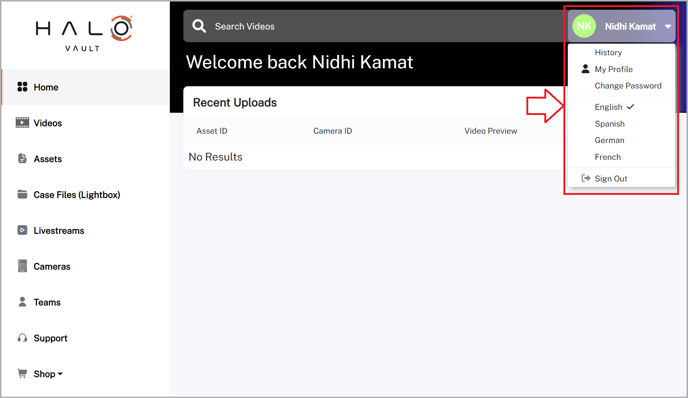
To access and manage your user settings:

  1. Locate your name at the top right corner of Vault as shown in the image below
  2. Click on your name to reveal a drop-down menu 
  3. From here you will be able to:
    1. Check your history
    2. Change your password 
    3. Update your configuration settings 
    4. Change your language
    5. Sign out 

Vault-UserSettings